A WhatsApp Business daily report for the owner should answer four questions in under a minute: how many customers are still waiting for a reply, which complaints are open, which hot leads nobody has answered, and how long customers waited for a first reply yesterday. If you can only get those numbers by reading every chat, you don't have a report.
Picture a shop owner in Lahore. Orders come in from Instagram, Daraz and the website, and three staff confirm them on one WhatsApp Business number. At 9 am she asks herself the only question that matters: how many customers did the team not answer yesterday? Her honest answer is "I think none." Her real answer is "I have no idea."
This guide turns that feeling into a number you see every morning: what the report should contain, a format you can copy, how to count it by hand, and how to get it without the counting.
How do I know how many customers my team didn't answer on WhatsApp?
You know by counting chats where the last message is from the customer and nobody replied. On a shared number that count is hidden, because the chat list looks "handled" the moment someone opens it. The blue ticks say read, not answered.
One clarification, because the phrase is confusing in 2026: this is not about WhatsApp's new limit on unanswered messages. That rule caps how many messages a business can send to people who never reply, to cut spam. This guide is about the opposite problem: customers who wrote to you and are waiting.
The messages that go unanswered are rarely the loud ones. They arrive at 9:40 pm, get pushed down by the next 80 orders, or everyone assumed a colleague took them.
Nobody is on the phone. By morning, 80 new messages are on top of it.
Blue ticks say read. The customer is still waiting for a number.
Three people each thought a colleague had replied.
So a report must first count those chats and show you the oldest one. "4 customers still waiting, oldest 5 hours" is a number you can act on before your first cup of tea.
What should a WhatsApp Business daily report include?
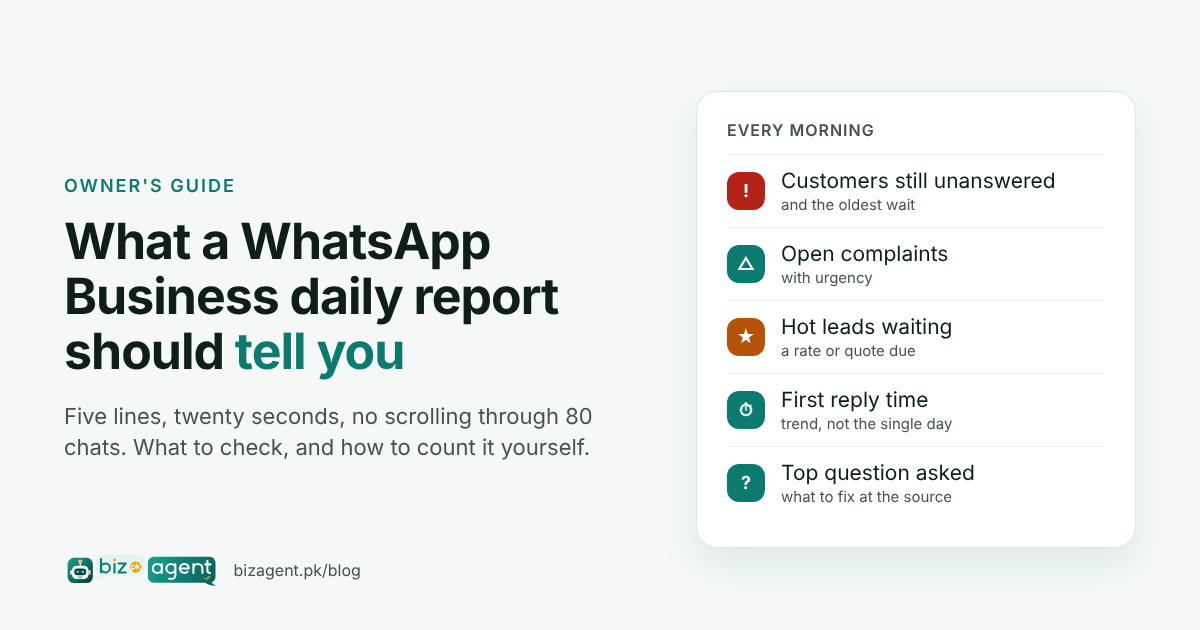
Keep it to what you would act on. A report you have to study is one you stop reading by Thursday. Most "WhatsApp report" tools cover sales, stock or message counts; the report an owner needs is about how customers were handled. Five lines cover almost every business on WhatsApp:
| Line | What it tells you | What you do with it |
|---|---|---|
| Customers still unanswered (and the oldest wait) | Who is waiting right now | Ask the team to clear them before the day's new messages arrive |
| Open complaints, with urgency | Who is about to leave a bad review or walk away | Handle the urgent one yourself or assign it by name |
| Hot leads waiting | Which sale is about to go to someone else | Make sure a rate or quote goes out this morning |
| First reply time yesterday | How long customers waited on average | Watch the trend week to week, not the single day |
| Top question customers asked | What is confusing or missing | Fix the cause: a delivery update, a price list, a stock note |
A format you can copy
People searching for this topic often want a sample. Here is the whole report; paste it into your notes app and fill it in each morning, or let a tool fill it for you.
Daily report · Tue 27 Oct
Still unanswered: 4 (oldest 5 h) — order 1043, 50-pc rate, 200-unit quote, lab report
Complaints open: 1 (urgency 5) — "third time asking for my report"
Hot leads waiting: 2 — 50-pc bulk order, DHA 10-marla buyer
First reply time yesterday: 48 min (last week: 35 min)
Top question: "order kahan hai?" (11 times)
Twenty seconds to read. Everything else is detail you ask for when you need it.
How can I check unanswered WhatsApp chats manually?
You can do a rough version by hand in about 15 minutes. Do it at least once to see your real numbers:
- Open the business WhatsApp at the start of the day. Use the Unread filter first; those are the obvious misses.
- Then scroll yesterday's chats one by one. For each chat, look at the last message only. If it is from the customer and it is a question, count it as unanswered.
- For each unanswered chat, note the time the customer wrote and work out how long they have waited.
- Mark anything that sounds like a complaint ("third time asking", "I will go to another lab") or a large order ("50 piece ka order chahiye, rate kya hoga?"). Those go to the top of the list.
- Pick ten random chats that did get a reply and note the gap between the customer's message and the team's first answer. Average them. That is your rough first reply time.
- Write the five lines in your notes app. Do it for a week and you will see the pattern, usually evenings and lunch hour.
It takes time every day, it only covers WhatsApp (email needs a separate pass), and on a busy number you will miss chats. But the numbers are real, and the first count is usually higher than the owner guessed.
Can multiple people use one WhatsApp Business number, and can I see who replied?
Yes, several people can answer from one number. The WhatsApp Business app lets you link up to four extra devices (a laptop, a tablet, another phone) to the same number, so a small team can share it; WhatsApp calls the larger version of this multi-agent. Everyone sees the same chats.
What the app cannot tell you is who replied. WhatsApp does not record which linked device sent a message, so when three staff share one phone number, every reply is just "the business". That is why "did anyone answer the bulk order?" has no answer in the app itself.
There are two honest fixes. The first is a simple rule: whoever takes a chat types their initials at the end of the first reply. Cheap, and it works for a team of three. The second is a team inbox with staff logins, where each chat is taken by one named person and the owner sees per-person numbers. BizAgent offers that as an option; replies sent from the phone itself are still reported for the team as a whole, because WhatsApp doesn't say who sent them.
How do I monitor a shared WhatsApp Business number without reading every chat?
This is the problem BizAgent was built for. It reads the WhatsApp Business number and the email inbox your team already uses, sees both the customer messages and the team's replies, and tracks every customer query until someone answers it. Then it reports to you on your own WhatsApp, in a private chat, every morning.
Urgent things don't wait for 9 am. If order 1043's query has sat for two hours, you get an alert. If a hot lead (scored 0–100 from what the customer wrote) is waiting, you get an alert. A complaint is tracked, with urgency, until it is resolved.
It understands Urdu, Roman Urdu, English and Arabic, including mixed messages, so "bhai rate bata dein 50 piece ka" is recognised as a lead, not noise. And it doesn't reply to customers by itself: it sends a message only when you ask for a draft and approve it, or for a rule you have explicitly set to Automatic. Nothing changes for the team. They keep answering from the same number and inbox; the one rule is that replies go from the business number and the shared email (or CC it). See how BizAgent works and the setup for a team sharing one WhatsApp number.
Monitoring the business number is not spying on staff
Owners searching this topic worry about one thing and staff worry about the opposite. The line is simple: the business WhatsApp number and the shared inbox belong to the business, and watching how customers are handled there is normal. Personal phones and personal WhatsApp are off limits, and BizAgent never connects to them. Tell your staff the business channels are monitored, share the daily numbers with them, and use them to fix the evening gap, not to find someone to blame.
What do you actually do with the report?
A report is only useful if it changes the next hour:
- Unanswered list: forward it to the team group with "clear these by 10".
- Complaint: if urgency is high, call the customer yourself. A two-minute call from the owner ends most complaints.
- Hot leads: check that a rate went out. A DHA buyer with a 6 crore budget who waited 4 hours yesterday is talking to another agent today.
- First reply time: compare with last week. If it jumped, find out why: someone on leave, a Daraz sale, a new product with no price list.
- Top question: if it is "order kahan hai?" three days running, the fix is a dispatch message, not more staff. See the use cases for how this differs by industry.
Frequently asked questions
What is a good WhatsApp response time for a business?
There is no official benchmark, and vendor numbers vary widely, so set your own target and measure against it. Many owners aim for under 30 minutes in working hours, because a buyer who asked three shops for a rate usually orders from the one that answered first. The useful number is your own trend: is this week faster than last week?
What is the 24-hour rule for WhatsApp Business?
It applies to the WhatsApp Business Platform (API): after a customer messages you, the business can reply freely for 24 hours; after that window it can only send pre-approved template messages. In practice it is another reason to reply the same day. It does not limit how long a customer can wait for you, which is what the daily report measures.
Can work track WhatsApp messages?
A business can track chats on its own business number and shared inbox, and should tell staff that those channels are monitored. It should not read anyone's personal WhatsApp. BizAgent only connects to the business WhatsApp number and the shared email inbox, never to personal phones.
Does a WhatsApp monitoring tool reply to customers automatically?
BizAgent does not. It reads messages and replies, tracks them and reports to you. It sends a message only when you ask for a draft and approve it, or for a rule you have explicitly set to Automatic. Your team keeps answering customers the way they do now.
Sources
- WhatsApp Help Center, "About multi-agent" and linked devices: faq.whatsapp.com.
- Meta for Developers, WhatsApp Business Platform messaging window (the "24-hour rule"): developers.facebook.com/docs/whatsapp.