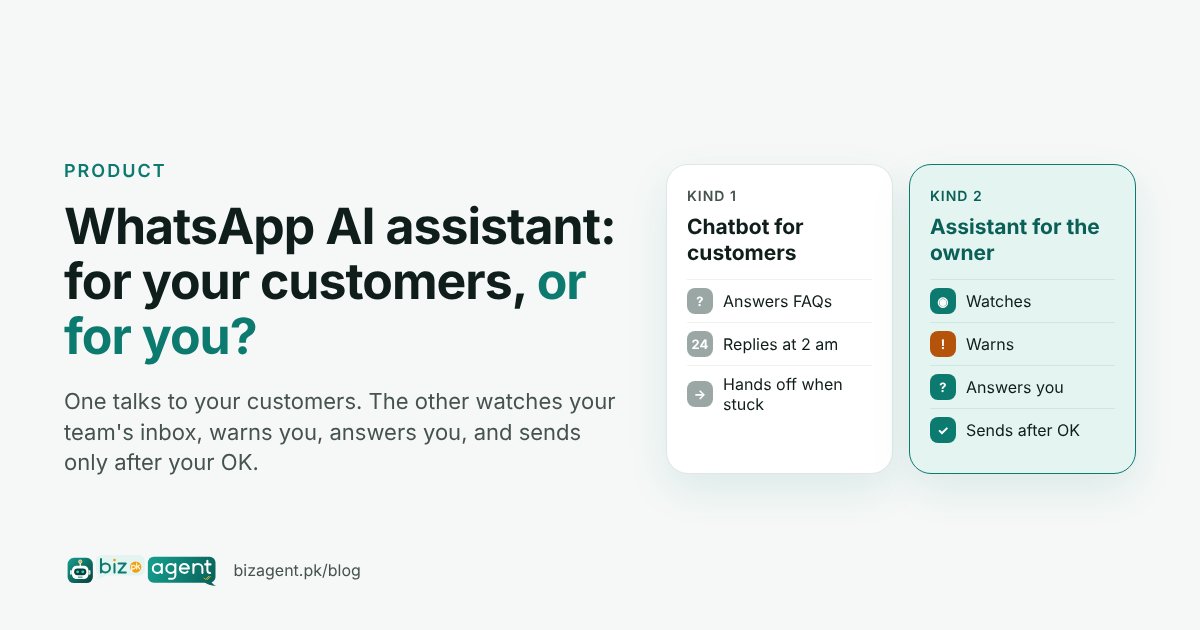
There are two kinds of AI assistant for WhatsApp Business. The first is a chatbot that replies to customers on your behalf. The second works for the owner: it watches the WhatsApp number and email inbox your team already uses, warns you when a customer is left waiting, answers your questions, and sends a reply only after you say OK.
Is there an AI assistant for WhatsApp?
Yes, and most of what you will find when you search for one is a chatbot. Search "AI assistant for WhatsApp Business" from Pakistan and the results are WhatsApp's own Meta Business Agent, chatbot builders, and videos on training a bot on your FAQ so it answers customers at 2 am. Useful for some businesses. But it is not what most owners mean when they say "I need an assistant".
What an owner usually means is: "I have three people answering one WhatsApp number, and I don't know what is going on in there." The 50-piece bulk order that nobody priced. The lab report a customer has asked about three times. The DHA buyer who waited four hours for a first reply. A chatbot does not fix that. An assistant that watches the inbox for you does.
| Chatbot for customers | Assistant for the owner | |
|---|---|---|
| Who it talks to | Your customers | You, on your own WhatsApp |
| What it does | Answers FAQs, hours, prices, order status | Tracks every customer until someone on the team replies; alerts, reports, answers your questions |
| Who replies to customers | The bot, then a human if it gets stuck | Your team, as today. The assistant sends only after your OK |
| What changes for the team | New tool, new flows | Nothing. Same number, same email inbox |
| Best for | High-volume, repetitive questions | Owners with a team on a shared number who want control without micromanaging |
What does an AI business assistant inside WhatsApp actually do?
Four things, in the order they happen during a normal day. It watches. It warns. It answers. It gets it done.
It watches
The assistant reads the WhatsApp Business number and the email inbox your team already uses, so it sees customer messages and the team's replies. Every customer query is tracked until someone replies. From that, it measures first-reply time per day and per week, keeps a list of open complaints with an urgency level, and shows the top issues customers ask about. You never have to open the team's chats to know what happened in them.
It warns
When something slips, you hear about it while it still matters: "Order 1043 query unanswered for 2 h." "Complaint, urgency 5: third time asking for my report." "Hot lead waiting: 50 piece ka order chahiye, rate kya hoga?" scored 86 out of 100. The alerts arrive as a private chat on your own WhatsApp, not in a dashboard you forget to open.
It answers
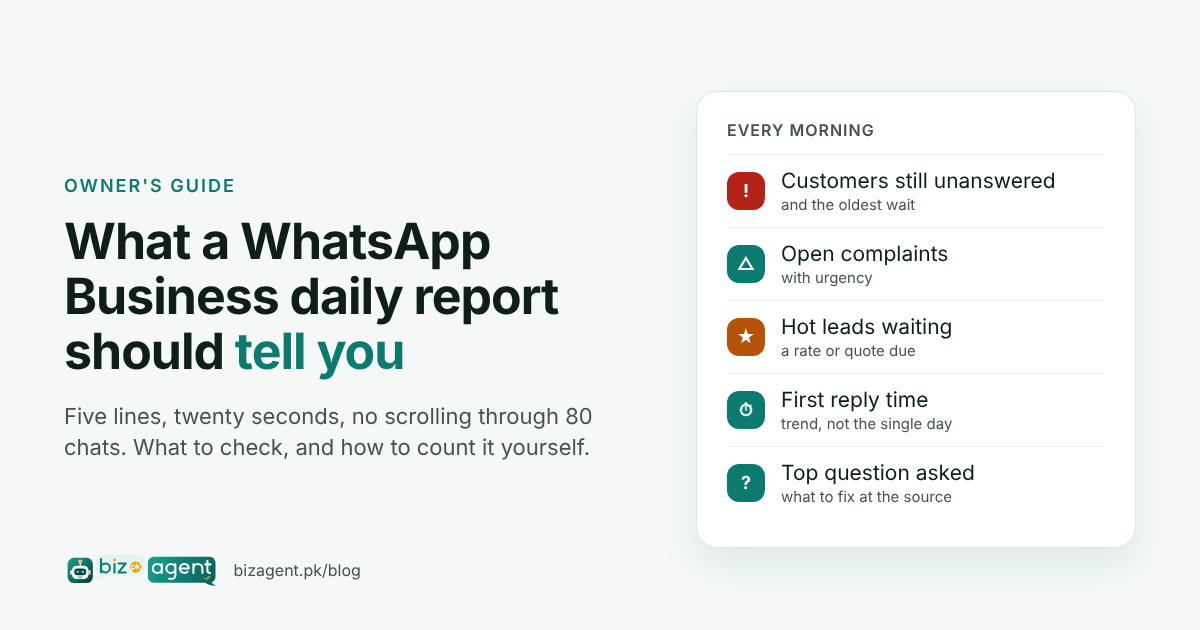
The same private chat works the other way. Ask it "which enquiries are still unanswered?" or "kal first reply time kya tha?" and you get a short answer, not 80 chats to scroll. Every morning it sends a daily report: customers still waiting, complaints open, hot leads nobody replied to, first-reply time, and the top question of the day. We covered what that report should contain in What a WhatsApp Business daily report should tell you.
It gets it done
When you want something sent, you say so: "reply to the bulk-order lead with the rate card." The assistant drafts the message and shows it to you. You approve it with a reply on WhatsApp or a click in the dashboard, and only then does it go out from the business number. If you don't approve, nothing is sent.
Buried under 80 new chats. Alert to the owner; a staff member picks it up.
Owner: "send the rate card." Draft shown, approved, sent.
Tracked until it is resolved, not until someone says "done".
How can I get AI on my WhatsApp Business?
Three routes, depending on which kind of AI you want.
- A customer-facing chatbot. WhatsApp's own Meta Business Agent, or a chatbot platform connected to the WhatsApp Business API. These reply to customers themselves. Set them up if your volume is high and the questions are repetitive, and be ready to write and maintain the answers.
- A team inbox. A shared inbox with staff logins so several people can answer one number and two people never take the same customer. Good when the problem is coordination rather than visibility.
- An owner's assistant. The kind described above. It connects to the WhatsApp Business number and email inbox you already have, and reports to you on your own WhatsApp. Nothing is installed on the team's phones and nothing changes in how they reply. BizAgent is this kind, and it includes an optional team inbox as well.
How the connection works and what your team sees is on how it works, and the full feature list is on features.
Will it reply to my customers without asking me?
No. This is the question owners ask most, and the answer for BizAgent is a flat no. It does not reply to customers by itself. It sends a message only when you ask for one and approve the draft. The only exception is a rule you explicitly set to Automatic yourself, for example a fixed acknowledgement for a specific case. If you never set one, nothing ever goes out without your OK.
What is the WhatsApp CRM tool, and do I need one?
A WhatsApp CRM keeps a record of each customer and lead behind the chats: who asked for what, who replied, what is still open. You need one the day a second person starts answering the business number, because from that day on nobody has the full picture in their head.
You can start by hand. Once a day, open the business WhatsApp, count the chats where the last message is from the customer, and write the number down with the oldest wait. Do it for a week and you will know whether you have a problem. BizAgent does the same count continuously, adds lead scores from 0 to 100 so the hot ones surface first, and keeps per-person numbers when staff use their own team-inbox logins. Replies sent straight from the WhatsApp phone are reported for the team as a whole, because WhatsApp itself does not record who typed them.
If your business is an online shop, a clinic, a real-estate or travel agency, or a service firm, there is a page for your case under use cases. Plans and what each includes are on pricing.
Frequently asked questions
Will an AI assistant reply to my customers without asking me?
A chatbot will, because that is its job. BizAgent will not. It sends a message to a customer only when you ask for it and approve the draft, by replying on WhatsApp or in the dashboard. The only exception is a rule you yourself set to Automatic.
Does my team have to change how they work?
No. The team keeps answering customers from the same WhatsApp Business number and the same email inbox. The one rule is that replies go from the business number and the shared inbox (or CC it), so the assistant can see them.
Does it understand Roman Urdu?
Yes. BizAgent understands Urdu, Roman Urdu, English and Arabic, including mixed messages such as "50 piece ka order chahiye, rate kya hoga?"
Is this spying on my staff?
It is the owner's view of how the team handles customers, the same view you would get by reading every chat yourself, without reading every chat. Tell your staff the business channels are monitored. Replies sent from the WhatsApp phone itself are reported for the team as a whole, not per person; per-person numbers exist only when staff use their own team-inbox logins.
What about Instagram and Facebook messages?
Instagram and Facebook inboxes are not connected directly. Those buyers are covered once the conversation moves to WhatsApp, which for most Pakistani shops is where the order is confirmed anyway.